

Using AI, solo founders like Peter Steinberger can make dozens or hundreds of daily GitHub contributions and sell their project to OpenAI for a reportedly large sum.
In Feb 2026, Jack Dorsey’s company, Block, announced a 40% reduction in headcount, attributable to future productivity gains unlocked by AI.
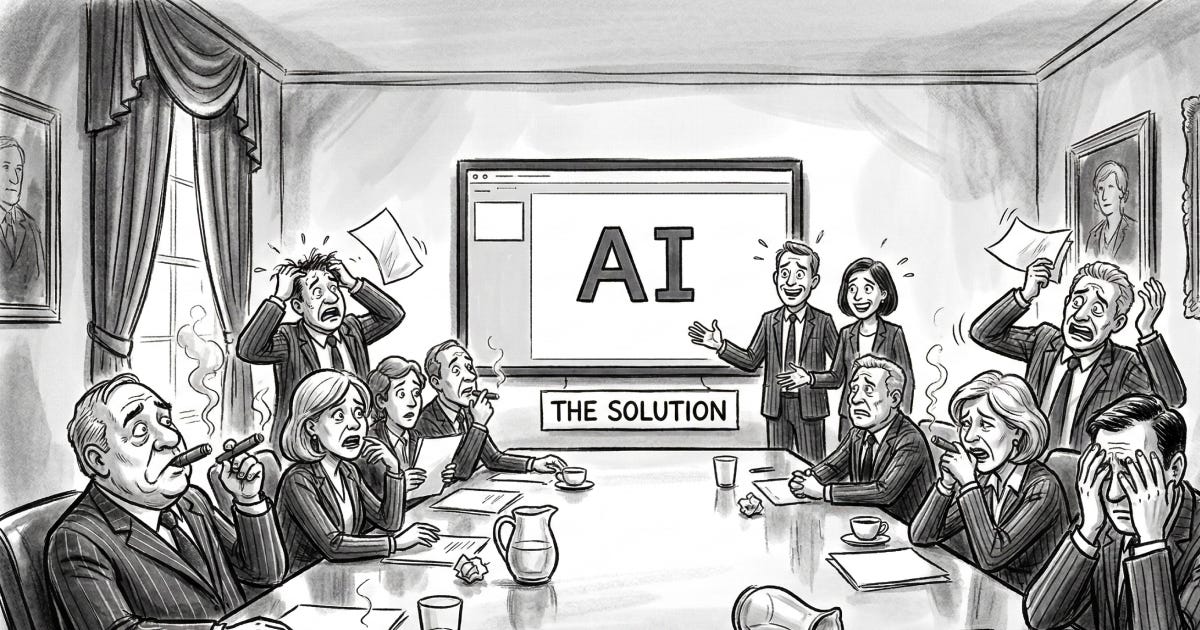
If you are a CEO or CFO already paying for a bunch of Google Gemini or Microsoft Copilot subscriptions, you are probably wondering why you are not seeing these eye-popping returns on investment. Did you select the wrong tools? Are people not using them properly?
What are you going to tell your Board?
Here are some insights from discussions with companies across a wide range of industries.
20% productivity gain is the bare minimum target
The business case for AI adoption is to increase speed and reduce unit costs. 20% productivity improvement is a bare minimum 1-year target for most AI initiatives, calculated on the eligible cost base.
Recent announcements help to illustrate this point. They should be taken with a grain of salt because companies only report their successes, and they calculate their numbers based on narrow cost bases to look good. But your Board will have these benchmarks in mind when they ask you to present the company’s “AI strategy”, so here we go.
Speed increase:
Klarna: customer resolution time cut by 80%.
Airbnb: 18-month code migration completed in 6 weeks.
Duolingo: 4x more lesson content produced with the same headcount.
Goldman Sachs: 80% less time to generate a first draft of IPO prospectus.
Cost reduction:
Blackstone: 50% lower real-estate portfolio valuation costs.
IBM: 40% lower HR costs thanks to the AskHR system.
Salesforce: customer support workforce reduced from 9,000 to 5,000. AI handles ~50% of customer interactions.
Lemonade: 68% reduction in insurance claims processing costs.
Improvements are usually delivered workflow by workflow, rather than across the board. Hence, it’s very important to prioritize and sequence AI initiatives top-down so that your teams tackle the frequent, repeatable, labor-intensive workflows first.
How to measure the improvement? If you already have hiring budgets in place for the coming year, you can freeze hiring while you equip your teams with the proper tools. Avoiding layoffs, if possible, will make AI adoption smoother.
Not everyone steps up equally
When you start equipping your team with AI tools, you’ll notice that each person adjusts in their own way.
For example, 20% of your employees will be power users, working 2x faster or more. Perhaps 60% will be casual users, with a 25% higher work output. And at least 20% will be resistant to change.
Your job is to encourage power users, freeing them up from business-as-usual activities so that they can manage the transformation, and asking them to lead others by example. On the other hand, reluctant team members must be made aware that AI adoption is a basic job expectation and that their performance review will reflect that.
When Tobi Lutke (Shopify) tweets about rediscovering the joys of coding and delivering new software in a single weekend, he is setting expectations for how his direct reports should behave.
Put managers to work
Asking junior contributors to work faster isn’t enough to move the needle. First, there aren’t enough of them. Second, this overlooks leakages and inefficiencies between decision-making and execution, as well as in cross-team coordination.
Senior executives and managers must now deliver work outputs that they would otherwise have delegated to their direct reports:
Marketing directors must manage their own campaigns.
Sales managers must be given higher personal quotas.
Engineering managers must start pushing multiple PRs per day.
Finance managers must create dashboards and reports themselves.
HR managers must take on more recruiting, onboarding, and operational tasks.
When managers start acting more like individual contributors, they must also demonstrate a healthy disregard for traditional departmental boundaries to minimize handovers. This means:
Generating a basic graphical design themselves instead of asking the creative team to do it.
Delivering prototype code to the engineering team instead of a PRD (product requirement document) or a Figma file.
Querying the company’s systems for business intelligence instead of looking for the first available data analyst.
Performing the first-pass review of a customer contract instead of always waiting for the legal team to respond.
All of this, while also being accountable for AI adoption within their teams.
Good work requires good tools
It takes a lot of computing power to do good work with AI. Compute power isn’t cheap, even when it’s subsidized by AI companies gunning to gain market share through their Pro and Max subscriptions.
Power users should be equipped with the best commercially available apps for their specific use case. Great commercial apps exist for AI use cases that are generic among many industries and companies, such as:
Meeting recording and transcription: Fireflies.ai or Granola.
Coding: Claude Code and/or OpenAI’s Codex.
Image/video generation: Weavy.
Voice transcription/generation: ElevenLabs.
For other employees, basic subscriptions, such as Google Gemini or Microsoft Copilot, may be sufficient for simple tasks, but upgrading to a premium option should be available as these employees become more productive with AI.
Weekly usage should be monitored. If an employee makes little use of a subscription for a month, their manager should discuss whether the subscription is not needed for their job scope or whether the employee is not meeting the company’s expectations for AI adoption.
Always check if the apps have a privacy setting to opt out of helping to “improve the product”. You don’t want your company’s data used for anything.
Meaningful productivity gains require agents
Developer tools are always a step ahead of other AI tools, so coding assistants help us to understand where the industry is headed. Let’s take a look at software development.
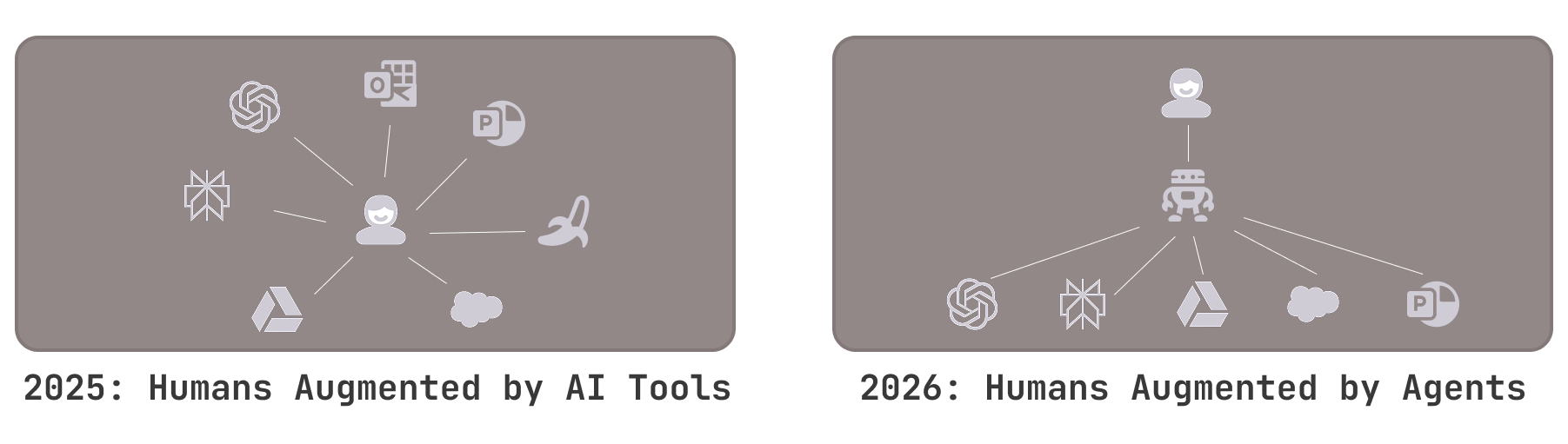
In 2023 and 2024, coding assistants like GitHub Copilot and Cursor became widely adopted for research and code-completion tasks, but engineers saw only a 10-20% increase in productivity. Over the past 12 months, the use of coding assistants has evolved into agents that create and execute multi-step action plans to deliver complete software features. Some software engineers now work twice as fast by switching between 6 to 10 agents running in parallel, each managing a different task.
Similarly, for non-technical workers, merely asking ChatGPT, Gemini, or Copilot “how should I do X” questions is no longer best practice. Semi-autonomous agents are the preferred approach to AI-powered workflow automation.
Three big ideas:
Humans no longer orchestrate multiple tools. Users interact with a single agent acting as their delegate, coordinating tasks among subagents, systems, and databases to complete workflows.
The agent has access to skills, which are tailored instruction manuals for performing specific tasks, especially those related to the company’s standard operating procedures. These skills are text documents, far easier to maintain than the no-code flows hosted by previous-generation workflow automation systems like Microsoft Power Apps, Zapier, and N8N.
When predefined skills and system integrations are not enough to fulfill the user’s request, the agent can access a computer environment, develop new code, and execute it to complete the task. In fact, most of these agentic platforms use a coding assistant as the underlying LLM (e.g., Codex 5.3, Opus 4.6, Kimi 2.5) rather than a general-purpose LLM.
Platforms like Manus, Claude Cowork, OpenClaw, Perplexity Computer, and Agentini Workflows enable companies to create and run agentic workflows.
If you are curious, here are some of their differentiating features:
Manus: the pioneer. Now part of Meta, so it’s unclear where they are headed for enterprise use.
Claude Cowork: relatively easy to use thanks to Anthropic’s vertically integrated model (their LLM, their app), but runs on each employee’s desktop computer.
OpenClaw: very tenacious, with a “YOLO” vibe. Great for tech-savvy tinkerers, less for the average enterprise employee.
Perplexity Computer: the new kid on the block. Very similar to Claude Cowork, but the computer is in the cloud instead (under Perplexity’s control).
Custom solutions like Agentini: designed to be managed centrally and live in your Slack or Teams channels, it can better integrate with your company’s cloud environment, but requires an initial setup.
Get help from internal or external experts to make the most of these tools. It takes hundreds of hours to become proficient with them, which explains the gap between power users, who rave about them as if they’ve discovered fire, and other users, who continue to add goatees and cowboy hats to their ID photos.
Microsoft Copilot and Google Gemini have some agentic capabilities, but they are currently constrained by resource and security policies that make it impractical for them to coordinate complex tasks outside their respective ecosystems (Microsoft and Google).
Every SaaS vendor under the sun has launched its own agent offering as well (e.g., Salesforce, Slack, ServiceNow, Workday, Notion), with varying levels of maturity outside their own products.
Frontier, OpenAI’s agentic platform, is currently available only to large enterprises.
Be realistic about costs
One of the challenges of delivering ROI is that the cause/effect relationship is not “I’ll give everyone a Microsoft Copilot subcription and they’ll work 20% faster”.
Impacts must be extracted, workflow by workflow, eliminating tasks and removing handovers through a process re-engineering effort involving multiple stakeholders, systems, and databases.
An initial investment is required to map and redefine the process, either in time spent by the internal AI task force or by hiring an expert.
Given that the most important thing is to make the agent deliver relevant output, your team will start by using the most expensive LLM models (e.g., OpenAI’s GPT 5.2 with high reasoning or Claude Opus 4.6). Later, they can start downgrading to cheaper models and compare output quality.
All of this to say, agentic automation requires some resources and time, even though AI makes the process much more efficient than, say, implementing a new ERP or CRM system customization.
Hence, don’t try to do too many things at once. Your company’s AI task force can realistically handle around 3 high-priority use cases at any given time. Make sure that you pick those that are labor-intensive, repetitive, and well-documented.
Practical next steps
Your Board expects an AI productivity narrative, and for most companies, that’s a priority in 2026.
You should:
Set productivity improvement targets, ideally through hiring freezes.
Prioritize a handful of workflows with the greatest potential. Do this top-down. Don’t ask your employees for “ideas”.
Invest in the right project resources and tools to create custom agents.
Once the agents are up and running, aggressively question traditional job separations between managers and individual contributors, and between departments, so that each person starts doing the work of several.