

AI coding assistants have grown impressive reasoning capabilities, particularly Claude Code Opus 4.5. However, they often struggle to generate code that properly integrates connected services and APIs.
Three scenarios are especially common in an Enterprise context:
The assistant’s code uses an outdated version of a particular service’s API. This is especially common with AI-powered services undergoing rapid change as they add more features, including Google Cloud, Pinecone, Firecrawl, Browser Use, financial and cryptocurrency services (e.g., Polymarket, ethersjs), and others.
The assistant’s code is incompatible with the company’s requirements, which may include a specific version of a development language (e.g., Python, Node, .NET) or a specialized internal service (e.g., internal database, document store).
The assistant simply doesn’t know the API in question because it’s too specialized, and hallucinates.
A naive approach would be to ask the coding assistant to search all the docs online before starting its work, but that would be very expensive in terms of token consumption/context window.
The better approach? Ask your company’s AI task force to maintain an internal “read the docs” MCP tool available to every developer.
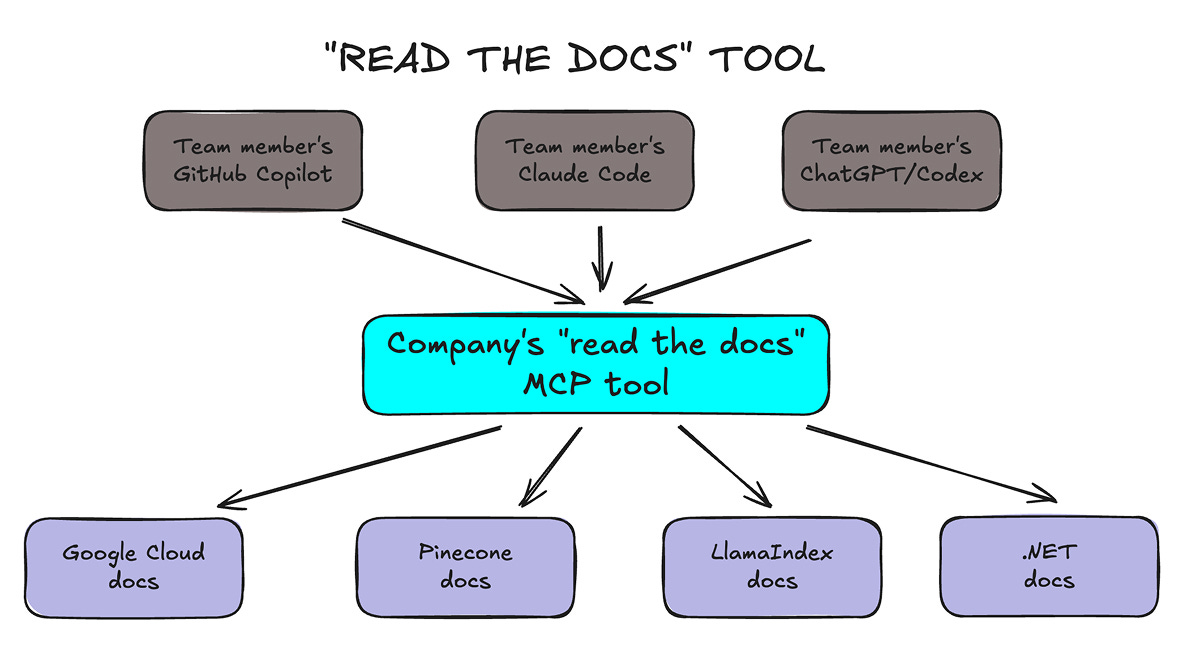
Creating the tool is straightforward and involves 3 steps:
Scrape the documentation from each service’s website.
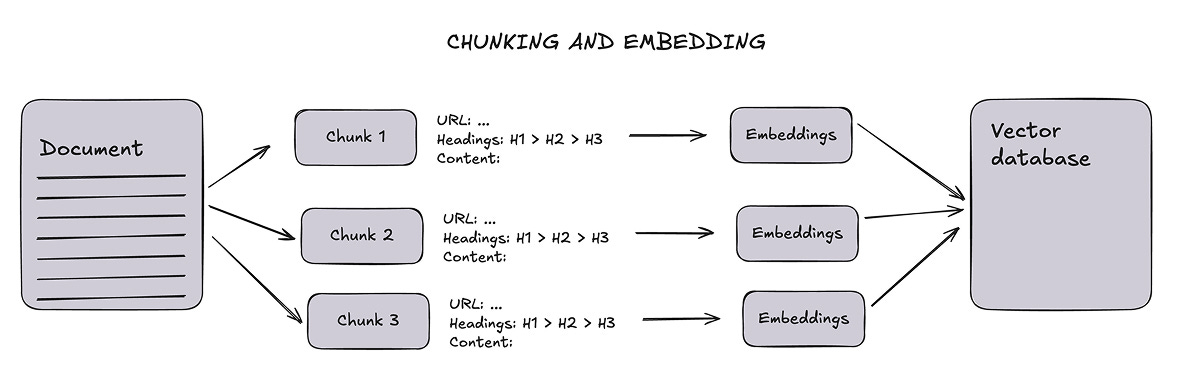
Break down the content into chunks and store it in a vector database (for RAG, or retrieval-augmented generation).
Run an MPC tool that retrieves the relevant chunks at each coding assistant’s request.
This blog post summarizes the approach and includes a Google Colab notebook for reference (at the end).
I also mention a third-party service that your team can consider.
Scrape online documentation
Documentation scraping should be done regularly to account for updates, for example, every month. We can use Firecrawl for this.
The Firecrawl Python SDK can be used to generate a set of Markdown documents from a documentation domain, such as https://docs.polymarket.com/.
For a source like Polymarket, this will take 5-10 minutes and generate around 300 documents. You can follow the progress of the task in the Firecrawl console.
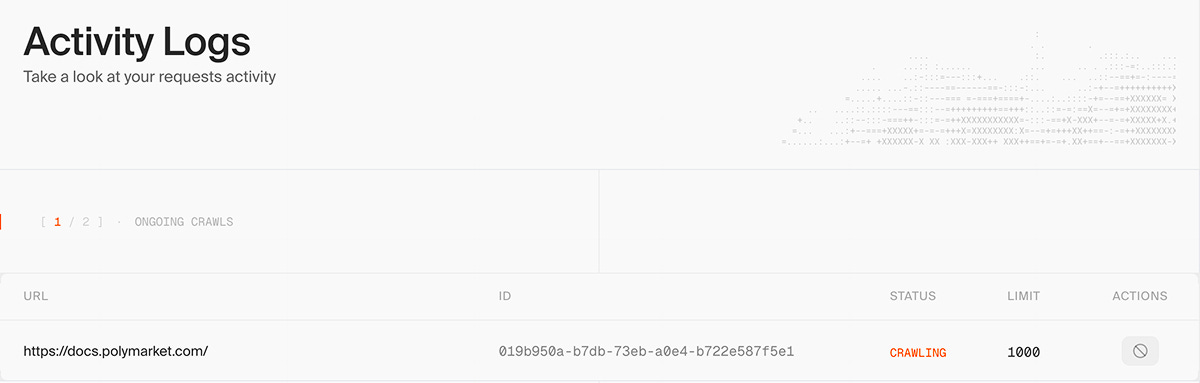
The result is a lot of files!
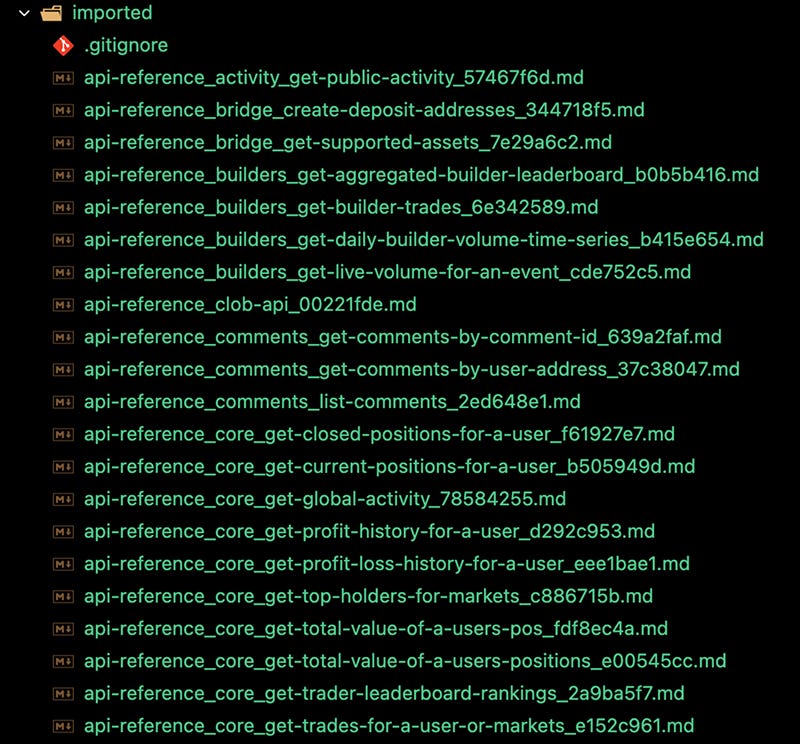
Refer to the Google Colab notebook for an example of how to do this.
Chunk and ingest the docs
For this step, we can use:
Pinecone as the vector database. We can use a single index for all services, as long as each service is stored under a dedicated
namespacefolder to make it easier to refresh the information associated with each service.OpenAI’s
text-embedding-3-largemodel for embedding generation.
When breaking down Markdown documents into chunks, it is important to track navigation metadata, such as page URLs and section headings, so that each piece of information can be traced back to its original source.
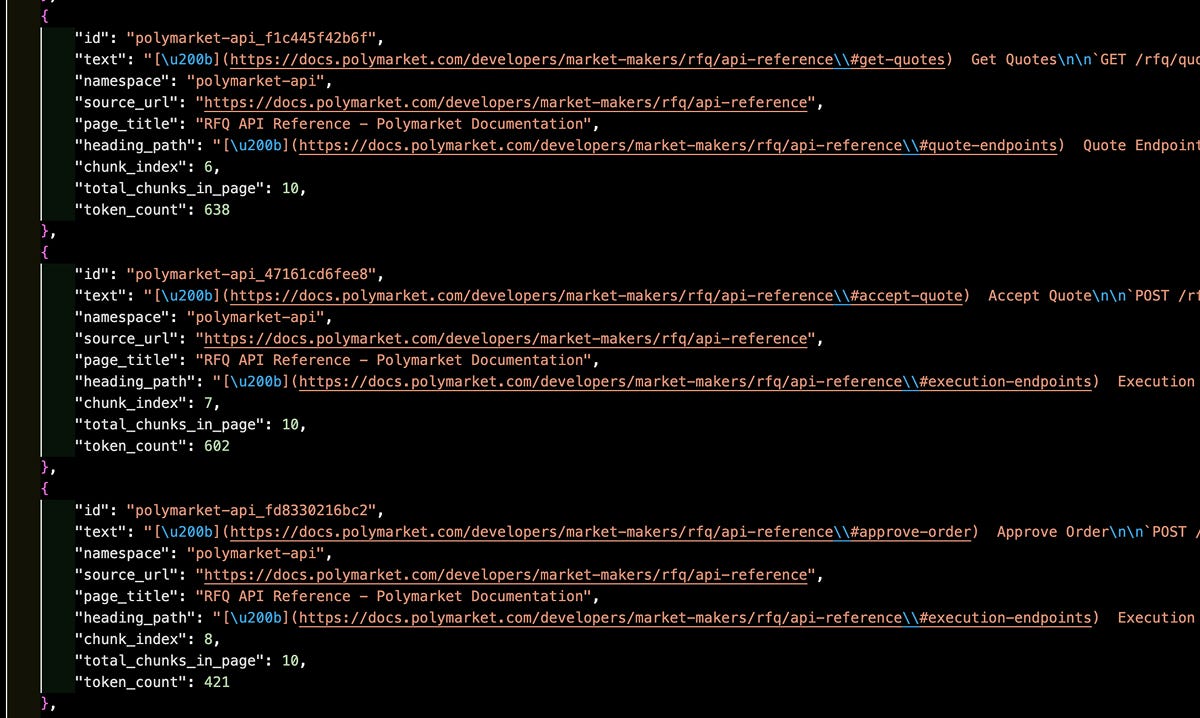
The chunking process results in a big JSON file (in this case, we have around 900 chunks):
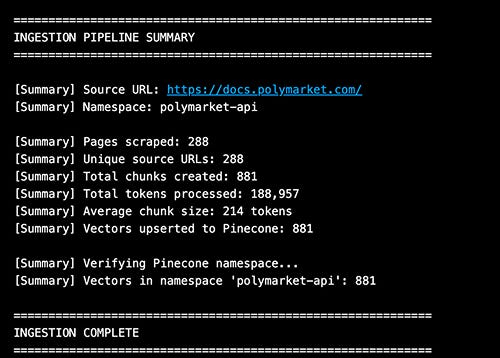
The embedding process results in a big list of “vectors” which are subsequently ingested by the vector database:
Run the “read the docs” tool
The “read the docs” tool is basically an MCP server hosted by your internal team.
Here’s an example of a query and a response.
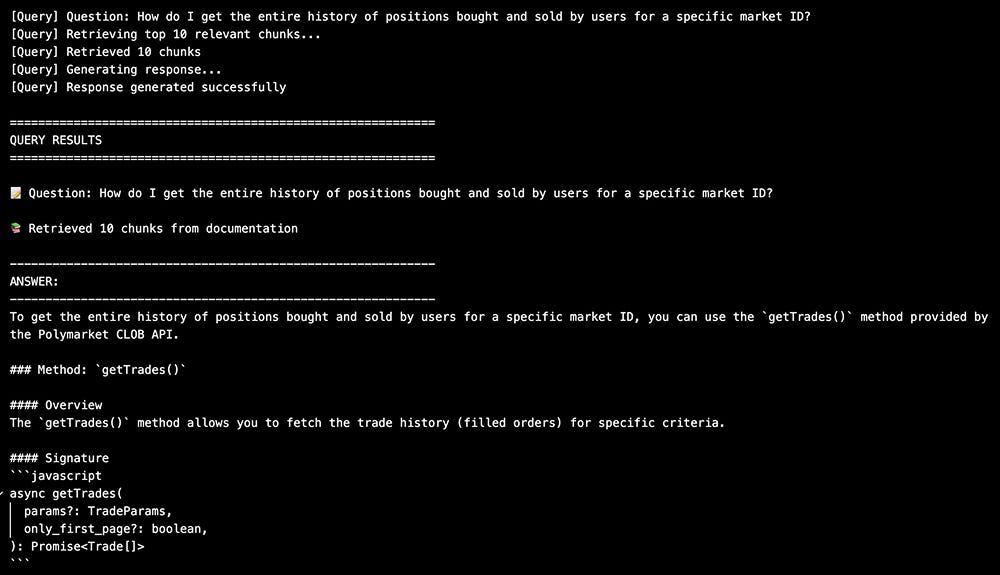
To create the MCP tool, you simply need to give that code to your favorite AI coding assistant and ask it to make a MCP server out of it using the MCP Python SDK. (MCP servers are tools for AI assistants.)
In an Enterprise context, it usually makes sense to host the MCP server at a URL protected by user authentication. The MCP standard requires authentication through OAuth 2.0 and a separate identity provider (such as Auth0) that supports “Dynamic Client Registration”.
Ironically, creating MCP servers with authentication is poorly documented, and coding assistants struggle with that… Stay persistent, and it’ll work out!
Anyway, once the tool is live at your chosen URL, integrating it with your AI coding assistant is very simple. It depends on the assistant you choose. For example, in Claude Code, you create a mcp.json file at the root of your project directory:
{
    "mcpServers": {
        "technical-docs": {
            "type": "http",
            "url": "<URL OF THE MCP SERVER>/mcp"
        }
    }
}
Alternative: third-party service
If your team uses mostly common languages and APIs, they can consider Context7 as an alternative to maintaining the MCP server themselves.
Context7 offers MCP servers with access to various docs curated by themselves or the community, with free and paid plans.
Wrap up
Building a centralized “read the docs” MCP tool transforms how your engineering team works with AI coding assistants. Instead of each developer wrestling with outdated API calls or manually pasting documentation into prompts, the knowledge stays up to date and accessible to everyone.
The investment is modest: a few hours to set up the scraping pipeline, a vector database that doesn’t cost much, and an internal MCP server.
The payoff is immediate—fewer hallucinations, less time spent debugging integration issues, and AI assistants that actually understand how your specific stack works.
Start small. Pick one or two external services that are causing the most friction for your team, scrape their docs, and get the MCP tool running.
This approach works well for other company knowledge as well, but technical docs are the low-hanging fruit.
Code snippets
Subscribe to see the link to the code snippets.
Here is the link to the Google Colab notebook.