

On January 20, 2026, an engineer leaked a major piece of information about xAI’s highly anticipated Macrohard project: Elon Musk’s strategy for AI adoption in the enterprise is to create human emulators that complete tasks by typing and clicking on computers, based on small and fast LLMs like Tesla’s self-driving models, rather than using APIs or MCP tools to connect to company systems.
The big idea: the only software interface that’s really standardized is the computer screen. Enterprise software vendors have not done a good job at standardizing and documenting their APIs over the last few decades. By contrast, any human can intuitively understand and use an application through a laptop’s screen, keyboard, and mouse. If you train an AI to do that, then it can replace any knowledge worker.
The importance of agentic computer use is acknowledged by other companies as well. Meta recently spent $ 2B to acquire Manus, a Singapore-based startup known for agents that complete long-running tasks on customers’ behalf using cloud-based computers. Anthropic launched a Claude browser extension for Chrome. H Company, a French startup, specializes in computer-use agents for Enterprise use cases.
What if the rest of us could instruct our custom AI agents to use computer browsers as well? Well, it’s early days, but we can already do interesting things, thanks to developer tools like browserbase, browser-use, and firecrawl.
Let’s explore how it all works through practical examples.
A simple use case
It’s not uncommon for an employee to spend 1h / week visiting some internal or external websites just to capture data and put it into an Excel spreadsheet:
Checking what people are saying on Reddit or Discord about the company’s products.
Capturing RFPs or data published daily by government agencies.
Monitoring competitor prices.
Downloading files from the ERP / financial system because it’s too old to have a proper API.
Etc.
Obviously, a task is worth automating only if it is repetitive. For this blog post, we’ll use a simple example: opening a real estate website to see what new listings have been added since the day before and extracting the 10 newest listings.
Experience agentic computer use
The fastest way to experience agentic computer use is to use a consumer app: Manus, or the more recent BU app by Browser Use.
Using such an app first is a great way to quickly iterate with various prompts and compare their effectiveness, even if you want to code your own agentic system later.
Manus can control your laptop’s browser or access a cloud-based computer to browse the internet. Let’s select the second approach, since you’ll save time by not having to be at your computer to complete the task.
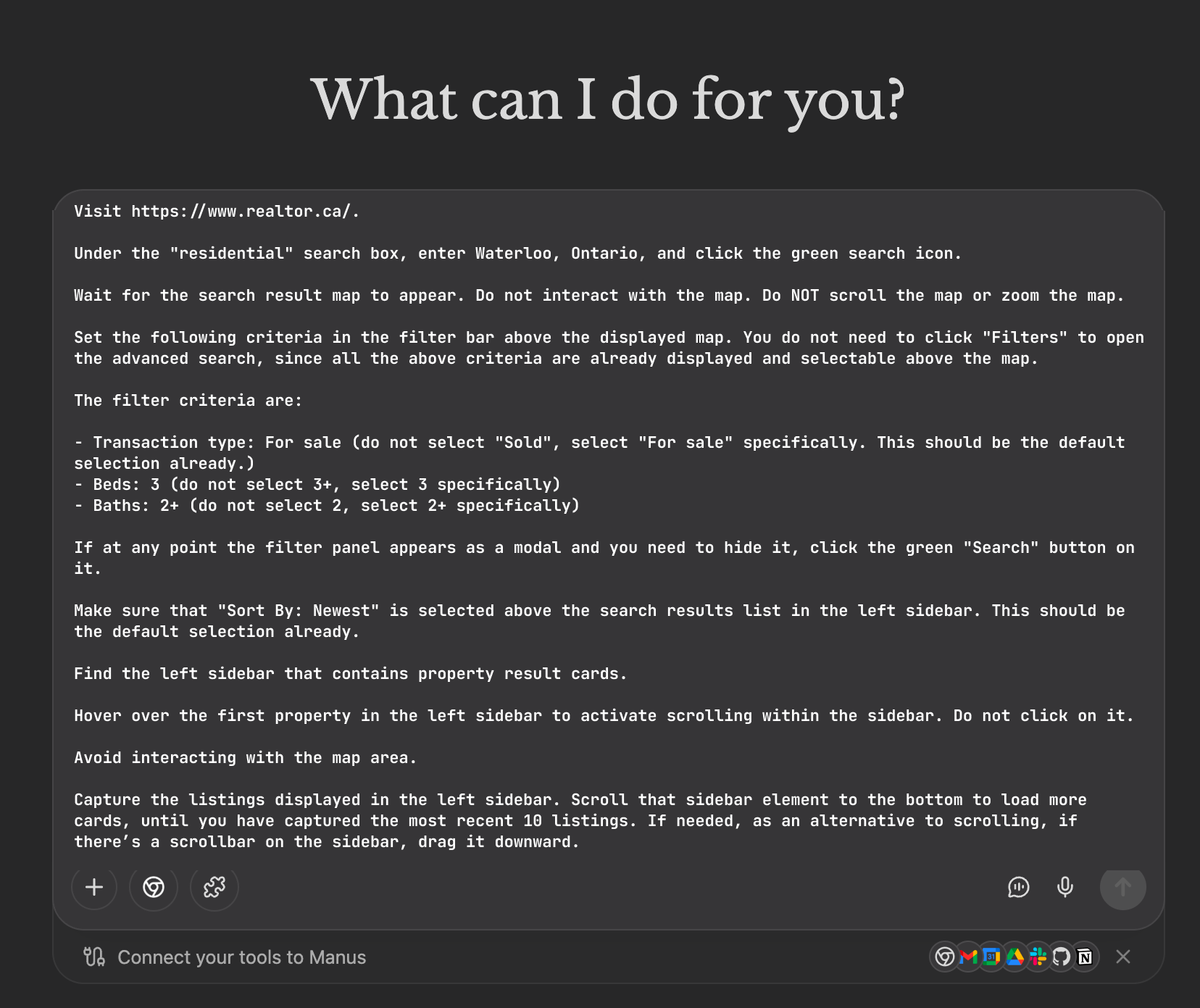
Here is example of prompt:
Or, you can try your own prompt.
You will notice that the agent often struggles to understand the web page’s structure and is much slower than a human. AI assistants have not yet been well-trained to use web browsers. On occasion, you may see that your connection is blocked by a bot prevention system. That’s another challenge of using agentic browsers.
In this example, however, Manus mostly succeeds in completing the task.
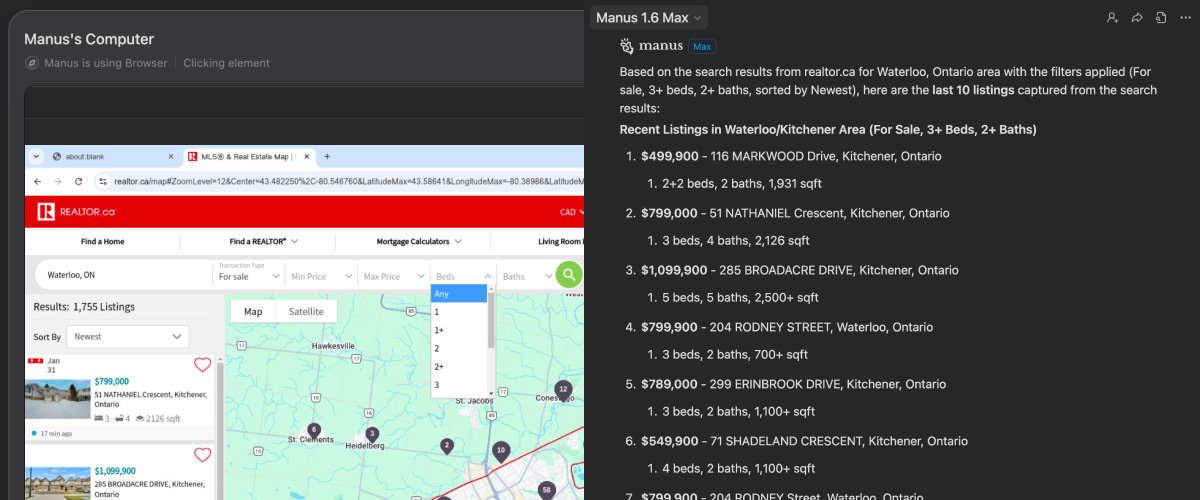
Some websites require the user to log in first. With Manus and similar apps, you can take control of the browser to perform specific actions, then hand it over to the agent.
Incorporate computer use into your agentic workflows
If you plan to automate processes that are more complex or involve accessing sensitive data, your company may need multi-step workflows and likely wants greater control over computers and credentials.
Several cloud providers make it easy to create ephemeral remote computers in the cloud and delete them as soon as the task is completed:
Browser-use: works great and is simple to use. Browser-use is particularly suited to general-purpose use cases where you want to provide instructions in natural language only, with almost no programming. However, if your needs exceed the limits of the pay-as-you-go plan, you’ll need to pay $500/month for the next subscription tier.
Browserbase: a powerful alternative that’s highly customizable. Compared with Browser-use, it feels more suited to use cases where having deterministic outcomes is important. It requires more work than Browser-use, but it is simpler to use than the legacy test automation frameworks like Playwright and Selenium. Browserbase works hand-in-hand with Stagehand, its agentic framework, and Director AI, a utility for creating Stagehand scripts.
Firecrawl: primarily used for text scraping from websites. It does text scraping well and relatively cheaply, but it does not perform as well when agents must take online actions, such as typing text or clicking buttons.
Vercel’s Agent Browser, Browserless, Hyperbrowser, Crawlee: interesting alternatives to keep on the radar.
With Browser-use
In our experiments, the browser-use SDK succeeded at the task almost every time, using the same prompt as for Manus.
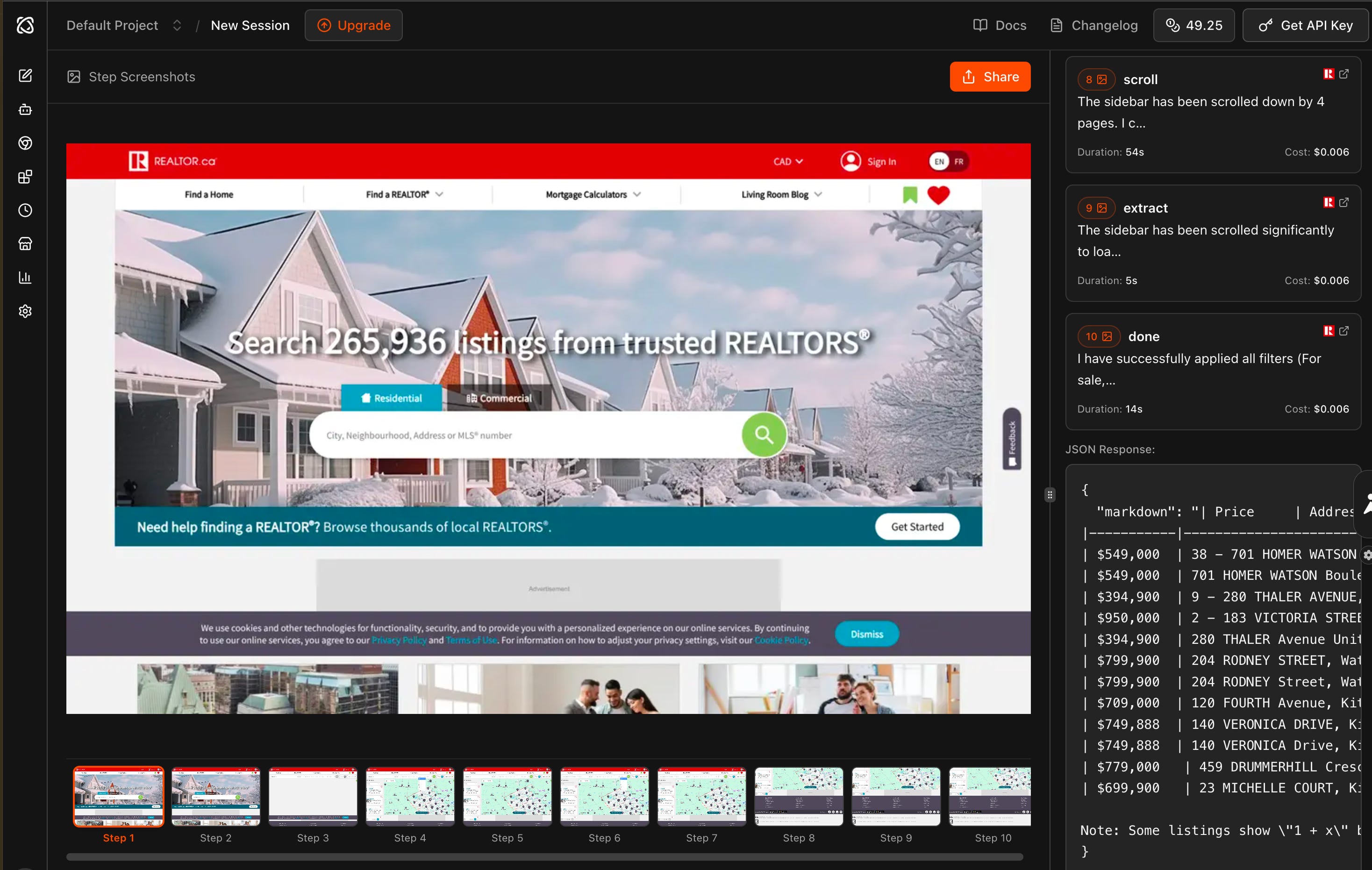
Want to try it with your own set of instructions? See the link to a Google Colab notebook at the end of this post.
With Browserbase
To use the Browserbase platform, you’ll usually need to string together:
A LLM: Google Gemini 3 Flash with a Google Gemini API key.
Stagehand: Browserbase’s open-source framework for agentic browser use.
Browserbase: The infrastructure where browsers are hosted in the cloud.
In our experiments, Stagehand didn’t always perform well when given a single set of instructions, such as the ones we gave to Manus.
However, there are two approaches that seem to work quite well:
Approach #1: Use Director.AI to help create a script, then feed it into your workflow to get repeatable results. That’s the easiest approach and also the most predictable one, if it works.

Approach #2: Create your own agentic loop in which a Google Gemini constantly takes screenshots, decides the next action, uses Stagehand to execute it, and so on until the goal is achieved. This approach is more technically involved but could serve as a fallback if the first approach fails.
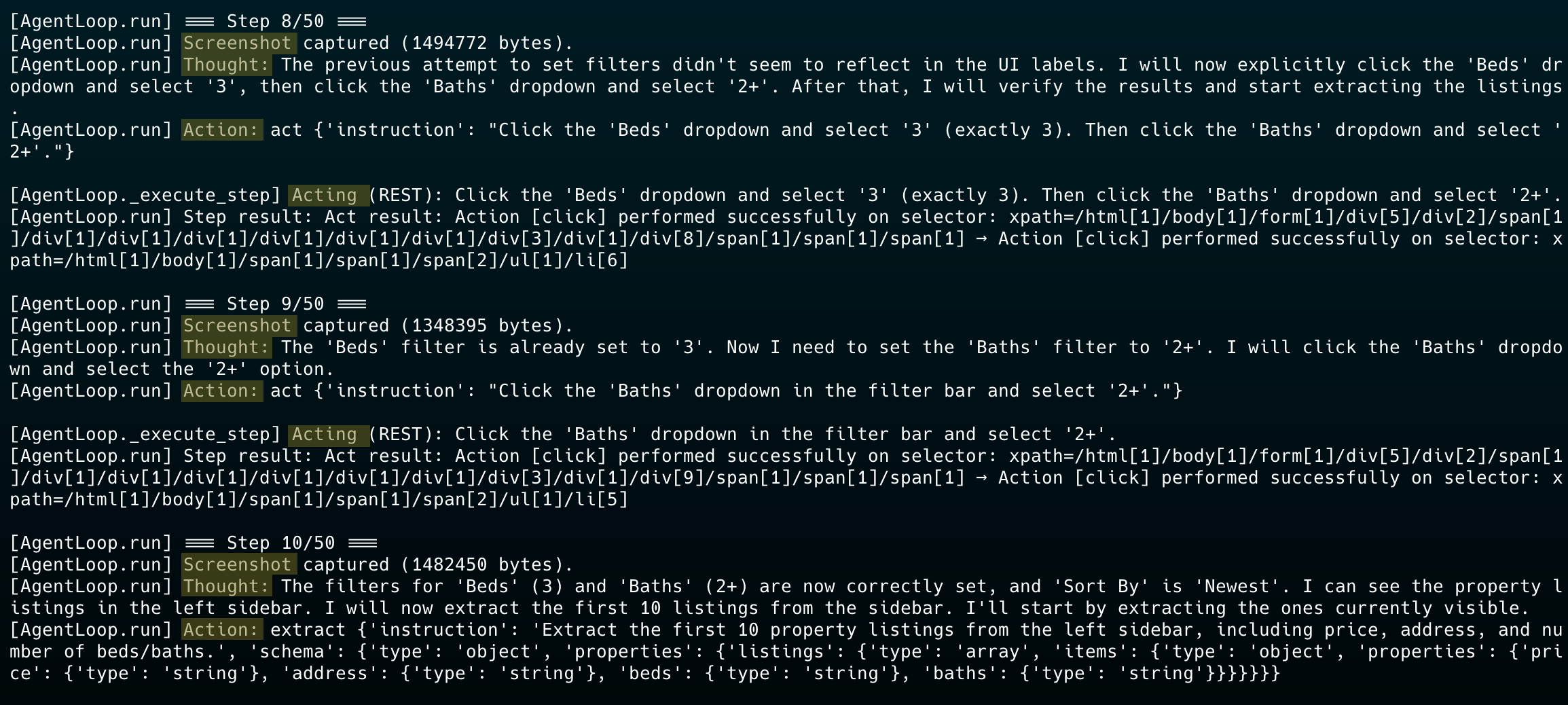
Want to try it with your own set of instructions? See the link to the Google Colab notebooks at the end of this post.
Wrap up
The xAI leak really nails it: we’ve been waiting decades for enterprises to standardize their APIs, and it is not happening. Meanwhile, every app already has a universal interface — the screen. Why keep begging for better integrations when AI can just... use software like humans do?
Let’s be honest: these tools are still pretty rough. Agents get confused, they’re slower than you’d expect, and bot blockers are on the rise. But if you’ve been in tech long enough, you know how fast things improve once the big players start throwing money at a problem. Meta didn’t drop $2B on Manus for nothing.
If you want to start playing with this stuff, Browser-use and Browserbase are solid options. Pick something low-stakes and repetitive — like that annoying weekly data pull — and see how it goes. You’ll hit some walls, but you’ll also get a feel for where this is heading.
Once these agents get good enough, a lot of tedious “glue work” between applications goes away. That’s enough to explain why agentic computer use will be a major theme in 2026.
This connects to something I've been tracking: the shift from "AI as a feature" to "AI as a user." Instead of rebuilding every enterprise tool with AI APIs, we're essentially giving AI agents the same interfaces humans use. It's actually more elegant than the current approach of trying to AI-ify every SaaS product individually. The winners will be whoever can make these agents reliable enough for mission-critical tasks.