

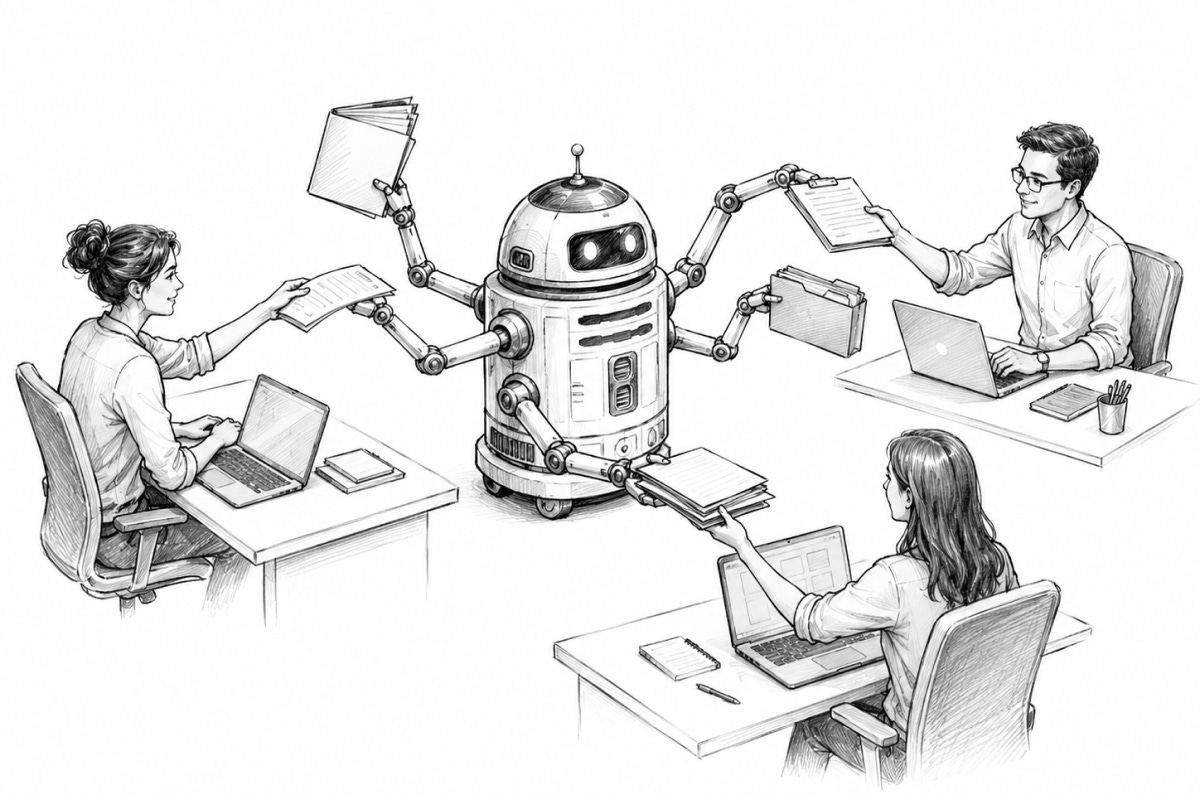
This year, agent adoption is taking off among enterprise employees (other than software engineers, who started earlier).
In plain English, adopting AI agents means automating company processes with large language models that run in loops, access company tools and data, and generate leads, prepare client proposals, and draft management reports. Many companies use Microsoft Copilot, Anthropic’s Claude Cowork, OpenAI’s ChatGPT, or Hermes agent to run these workflows, and hire companies like Agentini to build and maintain them.
What have we learned from partnering with companies on these projects?
Too much executive enthusiasm hurts the cause
The best AI team is a patchwork of imperfect profiles
Workshops only take you so far
Users demand control, then stop exercising it within weeks
Personal AI assistants are not enough: agents must live in the cloud
On the token cost crisis, there may be light at the end of the tunnel
Building a knowledge base starts with changing how employees communicate
Too much executive enthusiasm hurts the cause
With the growing number of layoff announcements attributed to AI adoption, employees are asking: “What’s in it for me?”
At one technology company, I found that employees rolled their eyes at their CxOs’ weekend vibe-coding stories. Employees often see executives as out of touch with day-to-day operations, and they resent not knowing what AI means for their careers.
Leaders should drop the tone-deaf “let’s put AI everywhere” pitch and level with employees: AI is a productivity tool; productivity is what it takes to stay competitive; revenue per employee must increase; employees are expected to work faster, and use AI to do that.
And leaders should never use AI to draft employee communications about AI.
The best AI team is a patchwork of imperfect profiles
Companies usually form a central AI team to create training materials, curate tools, and bootstrap the company’s first agents.
Effective teams mix very different profiles, each with real strengths and weaknesses: the perfect jack-of-all-trades does not exist.
Here are some profiles that I’ve seen:
The “AI expert,” hired away from a tech company, brings a fresh pair of eyes, but they need several months to learn the company’s processes and organization well enough to deliver useful agents.
The “tech-savvy builder”: a self-driven early adopter who earned the role by experimenting with AI before anyone asked. They usually deliver useful agents, but they’re not always great communicators and tend to chase every new tool (“shiny object syndrome”).
The “influential enthusiast”: a tenured employee who believes strongly in AI but doesn’t have the skills or drive to build agents. They struggle to get things done on their own, but if people across the organization listen to them, they can rally employees around AI initiatives.
The “project manager”: helpful for keeping things on track and handling reporting and stakeholders, but their effectiveness is limited if they can’t build agents themselves. As with the other roles, former engineers tend to do better.
At a company in the professional services industry, the first useful agent came from a longtime employee who was just technical enough to have taught themselves to code on their own time. The AI expert’s contribution only became valuable later, when it was time to harden that bottom-up proof of concept and get it ready for production.
Workshops only take you so far
Designing an AI agent starts with workshops where employees map out the current process and agree on the target workflow.
Unfortunately, the “current” process drawn on the whiteboard rarely reflects how things are done in practice. For a client in the B2B distribution industry, the workflow mapped in the workshop covered less than half of actual jobs. The other half were all about exception handling.
Workshop participants also misjudge how much instruction the agent needs to produce high-quality results: some expect great output without providing enough context or evaluation tests, while others underestimate what AI can do and insist on more “human in the loop” than necessary.
Solution: deliver a prototype agent as quickly as possible, and warn stakeholders that it will take feedback, iteration, and maintenance to reach the output quality of a junior employee.
Users demand control, then stop exercising it within weeks
First-time agent users ask for a lot of human control. They want to steer the agent at every major decision, and they expect long, detailed responses backed by quotes and sources. They have heard about AI hallucinations and take that risk seriously.
After a couple of weeks, reality sets in. At a client in the professional services industry, users who had insisted on approving every agent's decision ended up accepting the agent’s first recommendation 80% of the time and admitted their attention gave out after half a page of agent-generated text.
To get productivity gains, agent builders should err on the side of giving agents as much autonomy as possible, even when it feels like too much. When the agent does need a human decision, the request should be as brief as possible.
Personal AI assistants are not enough: agents must live in the cloud
Most companies start by giving employees personal AI assistants via Microsoft Copilot, Claude Cowork, or ChatGPT Work subscriptions. Unfortunately, these personal agents only get them so far.
For software developers, personal coding assistants work well. But software developers are a special case. A contributor can ship pull requests mostly on their own, and a coding assistant makes them 5x faster. Most other knowledge workers spend their days coordinating with each other, and that’s where the friction and inefficiency are.
To run a business workflow end-to-end, an AI agent has to coordinate asynchronously with many employees at different steps in the process. It needs to operate as a new autonomous coworker rather than as an extension of any single employee.
This is best achieved with cloud-based bots that run agentic loops independently from any one user and constantly follow up with team members in a Slack or Teams channel (“Hey John, please validate this decision”, “Hey Samantha, please provide this information”, “All, please join this problem-solving meeting tomorrow at 9 am”).
For a client in the enterprise services industry, the productivity gains only materialized once the agent stopped being one employee’s personal assistant and became a full-fledged channel member that followed up with the whole team on its own.
In practice, this means adopting agent harnesses designed for cloud-based agents rather than personal assistants, such as Hermes, OpenClaw, or Eve (Vercel).
Microsoft Copilot Studio is, in theory, designed exactly to deliver autonomous cloud agents, but in practice it’s so “beta”, clunky, and under-powered that it can only be used for very simple tasks.
On the token cost crisis, there may be light at the end of the tunnel
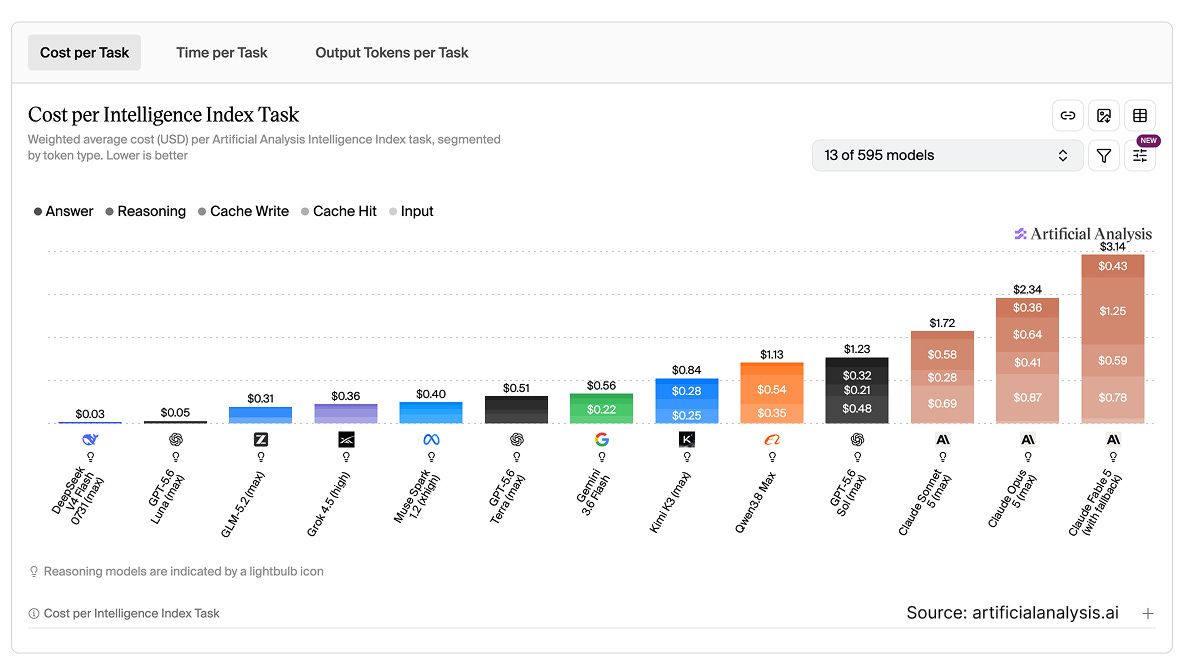
For companies paying for Claude Opus and Fable at non-subsidized Enterprise prices, the sticker shock was real in 2025 and 2026. For a while it looked like access to frontier models could run $50,000 per employee per year.
Thankfully, agents don’t have to use Anthropic’s models anymore. OpenAI’s models (Luna, Terra, Sol) are excellent alternatives at reasonable prices, and lower-cost models from xAI (Grok), DeepSeek, Zhipu AI (GLM), Moonshot AI (Kimi), and Alibaba Cloud (Qwen) can now reason well enough to handle repetitive knowledge work.
Affordable workflow automation agents are right around the corner.
Building a knowledge base starts with changing how employees communicate
Agents work best when company knowledge lives in plain-text files, ideally in Markdown, that they can either download directly or search via a RAG platform.
That’s not how companies actually store their knowledge: critical information is scattered across Confluence pages, SharePoint documents (Word, PowerPoint, Excel, PDFs), and employee notes.
It’s hard to pry employees away from Word, PowerPoint, and PDFs, which are among the formats agents take the longest to read and search. But that’s what it takes to build a central knowledge base that works for both humans and agents.
Start by getting your employees to stop making PowerPoint decks for internal meetings.
One thing I'd add to the Copilot/Claude comparison: adoption speed tracks less with model quality and more with where the agent sits in the existing tool stack. Teams using Copilot inside Outlook and Teams saw daily usage in week one, while a technically better standalone agent sat unused for a month because it required a separate login. Distribution beats capability in the early adoption phase, at least in what I've seen.